
HumanizeThisAI is built around a familiar promise: take text produced with an AI writing tool and make it read more naturally. The product is aimed at students, marketers, creators, and developers who want a faster way to revise stiff drafts without rewriting every sentence by hand. In this HumanizeThisAI review 2026, I look at the workflow, visible features, pricing model, detector claims, API options, and the practical limits that matter before you choose an AI humanizer.
The short version is fair rather than dramatic. HumanizeThisAI has a thoughtful set of rewrite controls, a low-friction free workflow, and a more serious API offering than many simple paraphrasing sites. However, its advertised detector performance is a vendor claim, not a permanent guarantee. A tool can make a draft smoother while still changing its meaning, introducing errors, or receiving different scores from different detectors.
HumanizeThisAI Review: Quick Verdict
- Best for: quick browser-based rewrites, adjustable tone, and developers who need an API.
- Most useful feature: the ability to combine rewrite strength, tone, readability, and protected words instead of relying on one generic rewrite button.
- Main limitation: a polished output is not automatically original, accurate, or safe from every AI detector.
- Free-use note: the supplied product walkthrough shows up to 500 words per request without an account; stronger options are associated with paid access.
- My verdict: worth testing for controlled rewriting, but compare the output with your own voice and do not treat a detector score as proof of authorship.
What Is HumanizeThisAI?
HumanizeThisAI is an AI text rewriting platform. Its central workflow is simple: paste an AI-assisted draft, choose how heavily it should be rewritten, select a tone and reading level, and generate a revised version. The product presents itself as a way to change sentence patterns, cadence, vocabulary, and phrasing while keeping the original idea intact.
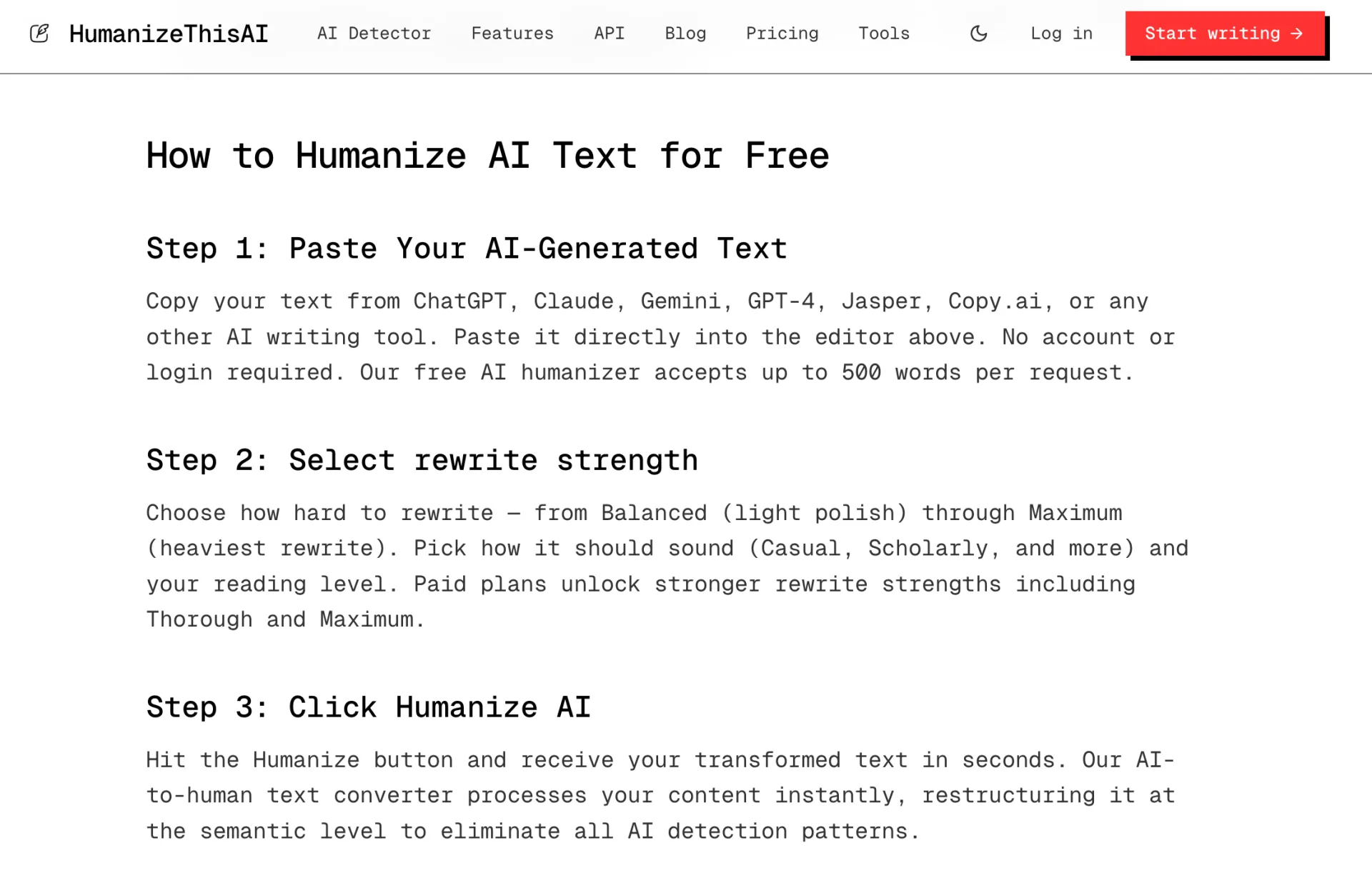
The supplied walkthrough shows a free editor that accepts up to 500 words per request and does not require an account or login for the first step. That makes the web version convenient for a short paragraph, email, introduction, or social post. It is less convenient for a long report because the text must be divided into smaller sections, which can make the voice less consistent from one pass to the next.
How the Web Workflow Feels
The workflow is easy to understand. First, paste text from an AI writing assistant. Next, select a rewrite strength such as Balanced or Maximum, then choose a style such as Casual or Scholarly and set the reading level. Finally, click the humanize control and review the result.
This is a better control surface than a tool that only offers one vague setting. A light rewrite can preserve a carefully written draft, while a stronger setting may help when the source is repetitive or obviously machine-like. The trade-off is predictable: deeper rewriting creates a higher risk of lost nuance, altered emphasis, or wording that no longer sounds like the writer.
HumanizeThisAI Features
Rewrite strength and tone controls
The visible editor separates rewrite intensity from voice. That distinction matters. Someone polishing a product description may want a casual tone but only a light rewrite. Someone revising a formal report may want scholarly language without turning every sentence into a longer, more complicated sentence. In practice, these controls give users a starting point, not a replacement for editing.
Reading-level selection
Reading-level controls can be useful when the audience is clear. A technical explanation for specialists should not be simplified in the same way as a customer-facing help article. The risk is that a reading-level setting can make text sound generic if it is applied without considering the subject, audience, and publication context.
Freeze words and structured API options
HumanizeThisAI's API documentation describes protected words, five humanization modes, tone choices, readability settings, language selection, and a best-of option that can generate and evaluate multiple candidates. Freeze words are particularly useful for product names, technical terms, proper nouns, and required phrases that should not be changed during rewriting.
The API also supports streaming responses, which is helpful for applications where users expect text to appear progressively rather than waiting for one large response. This makes HumanizeThisAI more relevant to writing platforms, browser extensions, and internal content systems than a basic copy-and-paste tool.
Built-in AI detection
The product materials describe an AI detection step that can be used after humanization. That can help with iteration, but the result should be read as a signal. Detection tools estimate patterns in language; they do not inspect a writer's intentions or prove who typed each sentence. A low score can coexist with factual errors, copied wording, or a draft that still does not sound like its author.
HumanizeThisAI Pricing in 2026
The free web workflow shown in the product walkthrough is limited to 500 words per request, with stronger rewrite strengths associated with paid plans. That structure is reasonable for occasional experiments, but frequent users should calculate how often they will need to split longer documents and whether the free limit is enough for their normal workflow.
The separate API pricing is more relevant to developers than casual writers. The published API tiers list Growth at $199 per month with 1 million words included and Scale at $399 per month with 3 million words included. The same pricing information lists additional word packs and different request, concurrency, key, and custom-tone limits between tiers. These plans may make sense for a product with steady volume, but they are expensive if you only need to revise a few essays or blog sections each month.
One important pricing distinction is that web access and API access are not the same purchase decision. A user should check which features belong to the browser plan, which belong to the developer plan, and whether the word calculation counts retries or multiple candidate generations. The API documentation explains that best-of generation can multiply the words charged, while some advanced modes use additional internal passes.
Does HumanizeThisAI Actually Bypass AI Detection?
HumanizeThisAI's own comparison material reports a very high average bypass rate across several detectors. That is useful as a statement of the company's testing position, but it should not be presented as an independent benchmark or a guarantee for your next document. Detector results change with model updates, document length, language, subject, and the amount of human editing after the rewrite.
Independent evidence also argues for caution. A 2025 research study that examined 19 AI humanizer and paraphrasing tools found that detector systems could generalize across different humanizers rather than failing permanently after one rewrite. Education-focused testing has similarly found that some humanizers lower a score while others leave it largely unchanged, and that formal academic writing remains difficult to rewrite without flattening its meaning or voice.
That is why the useful question is not whether HumanizeThisAI can make every passage undetectable. The better question is whether it helps you produce clearer, more specific, more personal writing that you have actually reviewed. If the answer is yes, the tool has value even when a detector score moves unpredictably.
For writers who want to compare another browser-first workflow, Ryter Pro is a practical alternative to test. It gives you a direct path to revise AI-assisted text, inspect the result, and keep the final editorial decisions in your hands.
HumanizeThisAI Pros and Cons
What HumanizeThisAI does well
- The basic workflow is easy to start and the free editor has a clear entry point.
- Rewrite strength, tone, and readability are separated into understandable controls.
- Protected words can help preserve names, terminology, and important product language.
- The API supports multiple modes, languages, streaming, detection, and usage controls.
- It is more flexible than a synonym spinner because it can revise structure and sentence rhythm.
Where HumanizeThisAI needs caution
- The free 500-word request limit is restrictive for long documents.
- Strong rewrites may remove a writer's intended qualification or change factual meaning.
- High detector scores reported by the company are not a universal result.
- API pricing is aimed at products and high-volume workflows, not every individual writer.
- Humanized text still needs fact checking, citation review, originality checks, and a final read by the author.
HumanizeThisAI vs Ryter Pro
| Need | HumanizeThisAI | Ryter Pro |
|---|---|---|
| Try a short rewrite quickly | Free browser workflow shown at up to 500 words per request | Direct text-humanize workflow for testing and revision |
| Fine-grained API integration | Multiple modes, tones, readability levels, and streaming options | Better suited to writers who want a practical web workflow |
| Protect required terms | Freeze-word controls are documented for API use | Review the output and preserve important terminology during editing |
| Prepare a publishable draft | Useful for a first rewrite | Useful when you want to humanize, refine, and read through the result in one place |
These tools serve overlapping but different priorities. HumanizeThisAI is attractive when API controls and configurable rewriting are central to the project. Ryter Pro is a strong alternative when you want to move directly from a stiff draft to a more readable version without building an API workflow. Neither tool removes the need for original ideas and human judgment.
How to Use an AI Humanizer Responsibly
- Start with your own outline. Add the point you want to make, the examples you understand, and the conclusion you can defend.
- Use the lightest useful rewrite. Strong modes are not automatically better. Preserve sentences that already sound like you.
- Protect important terms. Freeze or manually check names, figures, citations, product labels, and technical vocabulary.
- Read the output aloud. Awkward transitions and invented confidence are easier to catch by listening than by scanning.
- Verify facts and sources. Humanization changes wording, not truth. Check every claim and citation separately.
- Add a real human pass. Include your own examples, limits, preferences, and context. Those details are what make a draft useful.
- Follow the relevant policy. If a school, employer, client, or publisher requires disclosure of AI assistance, disclose it.
Who Should Use HumanizeThisAI?
HumanizeThisAI is a reasonable option for marketers polishing early drafts, developers embedding rewriting into a product, and writers who want to control tone and reading level. It is especially useful when the source is already factually sound and only needs a clearer structure or less repetitive phrasing.
It is a weaker fit for anyone looking for a guaranteed way to conceal authorship, submit work without understanding it, or avoid checking sources. The strongest workflow is collaborative: use AI for speed, use a humanizer for revision, and use your own judgment for the final version.
Frequently Asked Questions
What is HumanizeThisAI?
HumanizeThisAI is an AI text rewriting tool that changes sentence structure, wording, tone, and readability so an AI-assisted draft feels more natural and audience-appropriate.
Is HumanizeThisAI free?
The supplied product walkthrough shows a free web workflow with up to 500 words per request and no account required for the initial use. Stronger rewrite options and higher-volume access may require a paid plan.
Does HumanizeThisAI guarantee a low AI detector score?
No. Its published benchmark claims are self-reported, and detector results vary by tool, model, language, document length, topic, and later human editing.
Does HumanizeThisAI have an API?
Yes. The published API documentation describes humanization modes, tone and readability controls, freeze words, multiple languages, streaming, detection, and usage-based billing.
Is Ryter Pro a HumanizeThisAI alternative?
Yes. Ryter Pro is worth testing if you want a direct web-based AI humanizer workflow for rewriting and refining drafts.
Final Summary
HumanizeThisAI is more capable than a one-click paraphraser. Its rewrite strength, tone, readability, protected-word, and API controls make it a credible option for structured content workflows. The free 500-word entry point is convenient, while the API tiers are designed for organizations and products with meaningful volume.
The limitation is not unique to HumanizeThisAI: no humanizer can promise that every detector will agree, that every rewrite will preserve nuance, or that a polished paragraph is automatically original. Use the tool to improve clarity, then add your own thinking, verify the facts, and review the final draft. For a simpler alternative, try Ryter Pro's AI Humanizer and judge the output by how well it communicates, not by a single number.