
A haircut is a small decision with a surprisingly long tail. A few inches can change how your face looks, how much time you spend styling in the morning, and whether you feel comfortable when you leave the salon. That is why an ai hairstyle changer can be useful. It gives you a visual starting point before you commit to scissors, clippers, bleach, or a very different part.
It is important to use the result for what it is: a preview, not a promise. The best tools help you compare ideas and explain them to a stylist. They do not know exactly how your hair will behave after washing, how dense it is at the crown, or how much maintenance you are willing to do. This guide explains what these tools can show, where they tend to be unreliable, and how to test a dedicated option such as AIHairstyle.pro with realistic expectations.
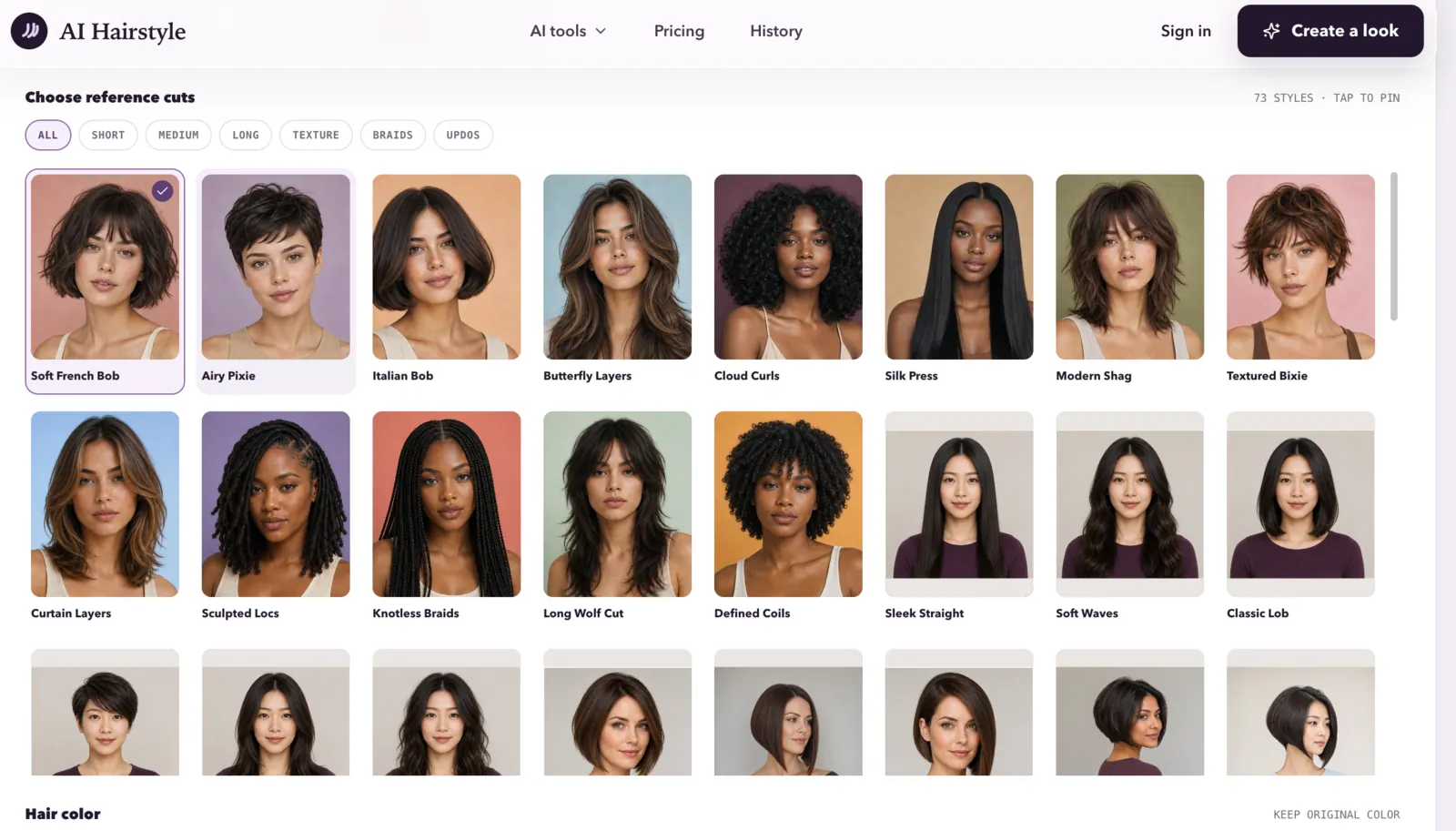
What an AI Hairstyle Changer Actually Does
Most hairstyle tools combine several image tasks. First, they identify the subject and separate hair, skin, clothing, and background. Next, they estimate the position of the face and the general shape of the existing hair. The system can then place a reference style over the photo or generate new hair pixels that follow the chosen cut, length, texture, or color.
That last step is more complicated than putting a sticker on a selfie. A hairstyle has a visible outline, but it also has strands, shadows, volume, parting, and a relationship with the forehead, ears, neck, and shoulders. If the source photo does not show the back or side of the head, the system has to infer what should be there. Recent research on hairstyle transfer describes this as a pose, scale, and missing-information problem. The model has to change the hair while keeping the person recognizable.
Some tools are closer to virtual try-on filters, while others use generative editing to create a more complete transformation. The output may look polished even when the underlying prediction is uncertain. That is why a good preview should be read as a visual direction rather than a digital mirror.
What These Tools Are Good At
Comparing the overall shape
An AI hairstyle changer is helpful when you are deciding between broad directions: a short crop or medium layers, a blunt bob or a softer shape, bangs or an open forehead. The preview can reveal whether the outline draws attention toward your cheekbones, widens the sides of your face, or makes the top look more balanced.
Exploring color before making a commitment
Color previews are useful for narrowing a mood. You can compare warm and cool tones, a darker base and lighter highlights, or a bold change against your skin and clothing. The result will not reproduce every detail of a real dye job, especially on dark, previously colored, or highly textured hair, but it can help you rule out options that clearly feel wrong.
Explaining an idea to a stylist
Words such as long layers, textured fringe, face-framing pieces, and low-maintenance color mean different things to different people. A saved preview gives you something concrete to discuss. A stylist can then adjust the reference for your actual hair density, curl pattern, face shape, and daily routine. In practice, that conversation is often more valuable than the generated image itself.
Where an AI Hairstyle Changer Can Mislead You
The most common mistake is treating a smooth image as a forecast. Generated hair often has ideal volume, clean edges, and convenient lighting. Real hair has cowlicks, uneven growth, humidity, split ends, and days when it refuses to cooperate. A preview may also make a style look effortless even though it requires heat tools, product, frequent trims, or a professional blowout.
Texture deserves special attention. Straight, wavy, curly, and coily hair do not respond to a cut in the same way. Density matters too. A layered style that looks airy on one person may remove too much weight from another. Color is equally dependent on the starting point. Going from dark brown to a pale blonde is not the same as selecting a pale blonde color in an editor. It may involve several appointments, damage management, and a very different maintenance routine.
There are also technical failure modes. A tool can soften the hairline, alter an ear, blur glasses, or change the shape of the face while trying to make the new style fit. In a side-angle photo, it may invent the unseen part of the haircut. Research on pose-invariant hairstyle transfer highlights exactly this challenge: a system must preserve identity while reconstructing hair that the camera never captured. Inspect the eyes, jawline, ears, and background after every transformation. If those details shift, the preview is less trustworthy.
How to Get a More Useful Preview
- Use a clear source photo. Choose even lighting, a simple background, and a sharp image. Avoid strong beauty filters, sunglasses, dramatic shadows, and extreme camera angles.
- Show the face and hairline. Keep the forehead, ears, and sides of the hair visible when possible. A front-facing photo is a good starting point, while a slight three-quarter angle can reveal how the style frames the face.
- Change one variable at a time. Try the cut first, then compare color. If you change length, bangs, texture, and color in one pass, it becomes difficult to understand which choice is helping.
- Test several nearby options. Compare a short, medium, and longer version of the same general style. Small differences in length can matter more than a dramatic switch between unrelated looks.
- Check the maintenance cost. Ask yourself how often the style needs trimming, whether you would use heat or styling products, and whether you are comfortable with the grow-out phase.
- Take the image to a professional. A stylist can explain what is realistic for your hair and suggest a safer adaptation. Treat the screenshot as a conversation starter, not an instruction to copy without adjustment.
A Practical Way to Test AIHairstyle.pro
If you want to try a dedicated ai hairstyle changer, AIHairstyle.pro is worth evaluating with a small, controlled test. Start with a photo you are comfortable uploading and read the current interface notes about image use, account requirements, exports, and retention before submitting it. Product details can change, so the live tool should always be the source of truth for those points.
Do not judge the service from one dramatic transformation. Test three or four styles that you might genuinely consider, such as a shoulder-length cut, a short layered look, a fringe variation, and a color close to your current shade. Look for consistent face preservation, a believable hairline, natural edges around the ears, and texture that does not turn into a plastic-looking surface. Also note practical details: how easy the upload is, whether the result can be saved without an unwanted crop, and whether the tool explains its limits clearly.
A useful review question is not simply, Does this make me look better? Ask, Does this help me make a better decision? If the preview gives you language for a salon consultation and helps you eliminate unsuitable ideas, it has done its job. If it makes a major transformation look effortless or changes your face in the process, slow down and treat it as inspiration only.
For creators who want to document a style experiment in a guide, caption, or personal note after testing an image, Ryter Pro can help polish the explanation while leaving the personal observation in your own voice. The image tool and the writing tool solve different problems, so keep the visual decision and the written description separate.
AI Hairstyle Changer vs. Ordinary Filters
An ordinary filter usually adds a fixed overlay. It can be quick and fun, but it may not follow the head shape or adapt to the lighting very well. A generative hairstyle tool attempts to rebuild more of the image, which can produce a more convincing result from a wider range of styles. That extra flexibility also creates more room for invented details and identity drift.
Neither approach can replace a consultation about hair health, chemical processing, scalp sensitivity, or realistic upkeep. Use the preview to ask better questions. For example: Would this cut work with my natural curl pattern? How would the layers grow out? What would the color require to maintain? Which parts of the reference should be softened for my current length? Those questions turn an attractive picture into a practical plan.
Frequently Asked Questions
Can an AI hairstyle changer predict exactly how I will look?
No. It can create a plausible visual simulation, but it cannot fully measure hair density, strand behavior, damage, or your styling routine from one photo. Use it to compare directions rather than guarantee a salon result.
Will it work for curly, coily, or very thick hair?
It may produce useful ideas, but texture and volume are harder to model consistently. Use a well-lit photo that shows your natural shape, then ask a stylist how the suggested cut should be adapted to your actual hair.
What kind of photo gives the best result?
A sharp, front-facing or slightly angled photo with even light and a simple background is usually the safest starting point. Keep facial features, ears, and the current hairline visible, and avoid heavy filters.
Should I show an AI preview to my hairstylist?
Yes, as a reference. Explain which parts you like and which parts are flexible. A stylist can separate the useful idea from details the generator invented and recommend a version that fits your hair and schedule.
Is it safe to upload a personal photo?
Review the tool's current privacy policy and upload notices before using it. Check how images are stored, whether they are used for training, how long they are retained, and how you can request deletion. Avoid uploading someone else's photo without permission.
Summary
An ai hairstyle changer is most useful before the decision, not after it. It can help you compare shapes, explore color, and communicate a direction to a professional. It cannot see every property of your hair or guarantee that a generated style will be easy to maintain. Use a clear photo, test realistic options, inspect the face and hairline, and bring the best references into a real consultation. Used that way, AIHairstyle.pro and similar tools can make the first step toward a new look less uncertain without pretending to replace human judgment.
Further Reading
- HairPort: In-context 3D-aware Hair Import and Transfer for Images, research on geometry, viewpoint, and missing hair information.
- StyleGAN Salon: Multi-View Latent Optimization for Pose-Invariant Hairstyle Transfer, research on changing hairstyle while preserving identity.
- What AI Hairstyle Try-Ons Can Really Show You, a practical discussion of previews, texture, upkeep, and stylist consultations.